How to Tell If a Video Is AI-Generated in 2026 (Without Guessing)
Learn how to spot AI-generated videos from Veo 3, Runway Gen-4, Kling, and older Sora clips using frame-by-frame physics checks, C2PA and SynthID limits, and short-clip detection.
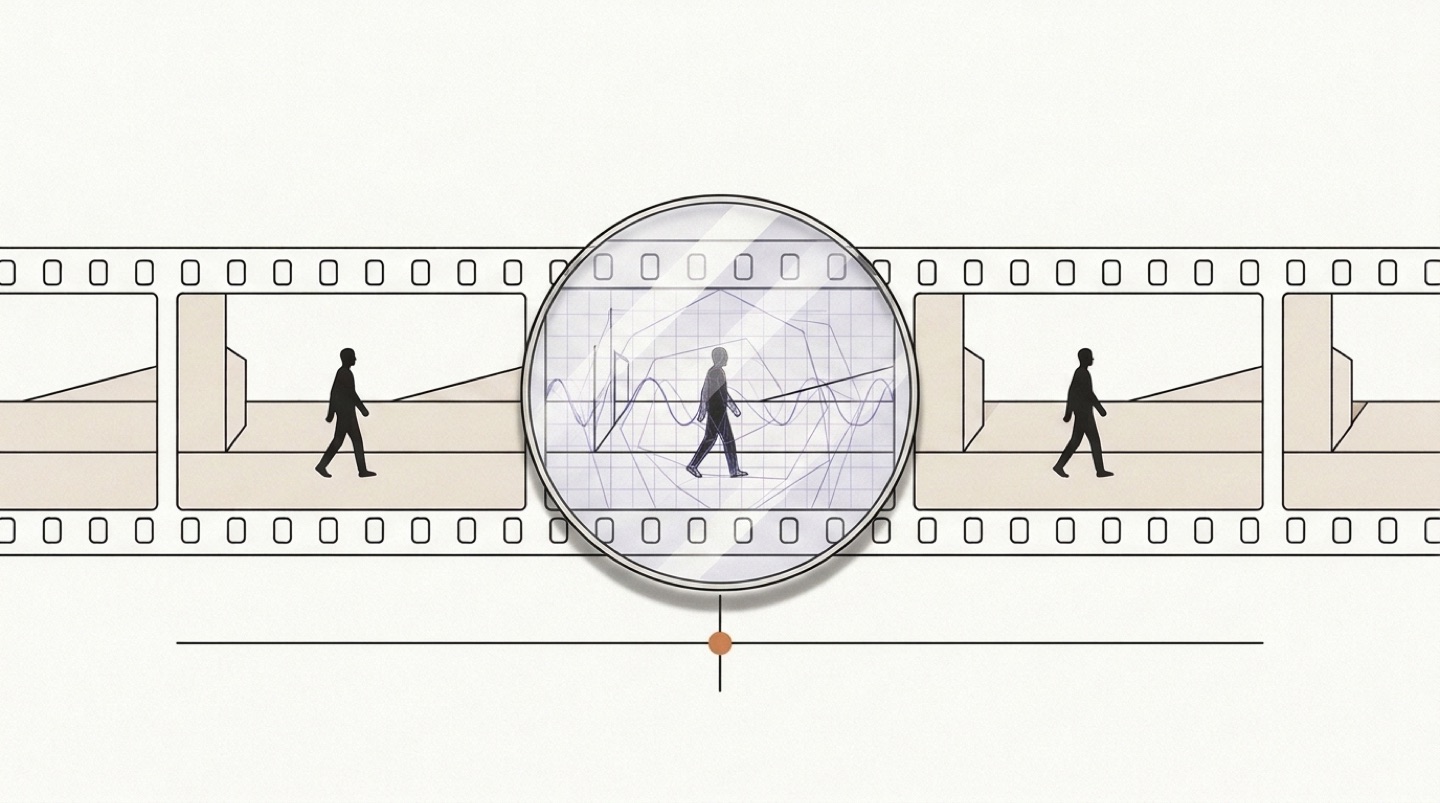
To tell if a video is AI-generated in 2026, do not rely on a quick glance or old tricks like counting fingers. Check the posting account first, inspect whether platform AI labels or watermarks survived upload, scrub the clip at 0.25× speed for background and physics drift, and run the sharpest 2–30 second motion segment through a pixel-level AI video detector as a second signal.
Two years ago, spotting an AI video took about half a second. Faces melted mid-turn, hands sprouted a sixth finger, and background store signs dissolved into gibberish.
That era is over. Google Veo 3, Runway Gen-4, Kling, Hailuo, Seedance, Wan, and Luma Dream Machine now produce sharp, smooth clips with synchronized ambient audio. Even after OpenAI shut down the standalone Sora app in April 2026 and turned off the Sora API in September 2026, plenty of Sora 2 exports still circulate across TikTok, Reels, and X without any label attached.
Pause one of these clips on a phone screen and it will probably pass as real footage. The weaknesses are no longer frozen inside a single frame. They show up when objects move across time, when platforms re-encode the file, and when you trace where the clip actually came from.
What is the fastest way to verify a suspicious video?
Verifying a suspected AI video works best as a four-step filter that starts with source context before zooming into pixels. Running these checks in order prevents you from wasting time pixel-peeping a clip that a simple source search already disproves.
Look at the uploader's post history, date, and whether any independent camera angle or news outlet corroborates the scene.
Look for platform AI tags, visible corner marks, or intact C2PA metadata if you have the original file.
Ignore the main subject. Track background lines, reflections, liquids, and shadows frame by frame.
Trim out intros and overlays, then scan the cleanest motion segment with an AI video detector.
What actually gives away an AI-generated video in 2026?
Modern AI video generators still struggle with temporal coherence: keeping geometry, lighting, gravity, and minor background objects consistent from frame 1 to frame 150. Your eyes naturally lock onto the person or action in the center of the frame, which is exactly where the model spends most of its compute.
Slow playback down to 0.25× (or tap , and . on YouTube to step frame by frame) and look away from the main subject.
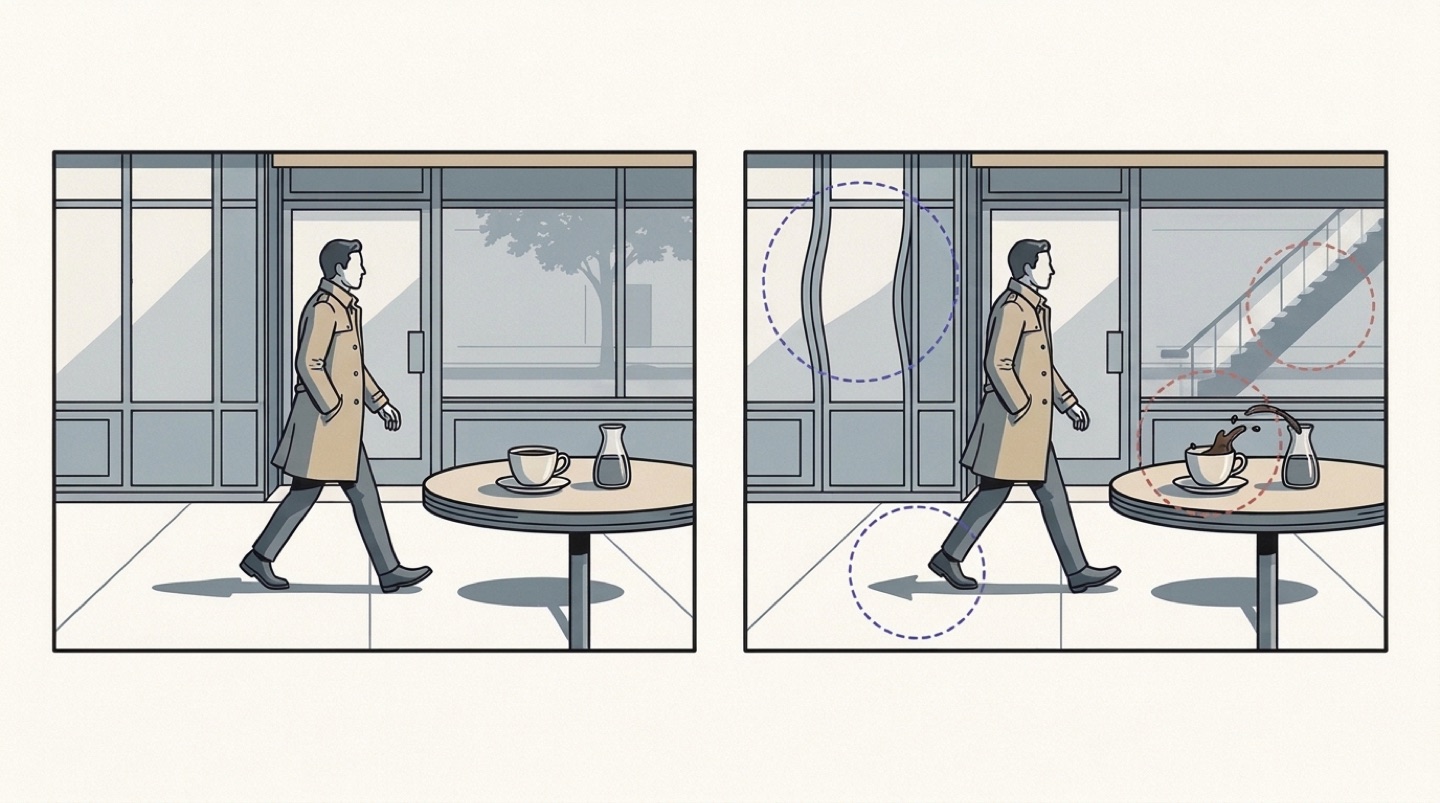
Video models do not maintain a true 3D map of a room. When a mug, street sign, or parked car disappears behind a passing person, the model has to re-invent it when it re-emerges.
Pedestrians in the distance often walk in place, merge into another passerby, or fade out during a fast pan. Window grids and brick lines subtly bend like heat haze.
Gravity is hard to fake over multiple seconds. Poured water hovers or vanishes without a proper splash, fabric ripples too smoothly, and shoes slide slightly across pavement instead of planting firmly.
Glass windows, puddles, car doors, and eyeglasses frequently reflect a room or street that does not match the actual scene. Shadows can detach from a moving object or change angle mid-clip.
Headline text in a generated scene often looks legible now, but tiny background labels, license plates, and watch dials still shimmer or swap characters every few frames. Speaking subjects can briefly show teeth blending into a single white strip.
Models with native audio generation produce convincing foley and speech, yet room tone often feels oddly uniform. Crowded street scenes can sound overly studio-clean, or speech cuts straight from sentence to sentence without natural inhales.
Why don't C2PA, SynthID, or platform labels catch every AI video?
Platform AI labels and cryptographic provenance tags only work reliably on the original exported file; once a video is downloaded, re-cut, or re-uploaded across social apps, most container metadata disappears.
In 2026, major platforms like TikTok, YouTube, and Meta largely follow a "read at the door, strip on the way in" pipeline. When a creator uploads an untouched MP4 directly from a generator that writes C2PA Content Credentials, the platform reads the trainedAlgorithmicMedia manifest at ingest and attaches an AI disclosure badge. Then the platform transcodes the video for streaming, wiping out the container metadata in the copy viewers actually receive.
That is why a downloaded TikTok or X video with zero metadata proves nothing either way.
| Verification Layer | Where the Signal Lives | Survives Social Compression? | Main Blind Spot |
|---|---|---|---|
| C2PA Content Credentials | Cryptographic manifest inside the MP4/MOV container | Usually stripped | Re-encoding, editing exports, metadata cleaners, and screen recordings wipe it out. |
| Google SynthID | Invisible watermark baked into pixels and audio | High resilience | Only covers models that embed SynthID (such as Veo); open-weight and rival models do not carry it. |
| Visible Corner Watermarks | Overlay rendered into the video frame | Easy to crop | Anyone can zoom in 5% or run a free watermark remover before reposting. |
| Platform AI Labels | Account & ingest check on TikTok, YouTube, Meta | Platform-only | Labels vanish when someone screen-records or downloads the clip to share in WhatsApp or another feed. |
| Pixel & Frame AI Video Detector | Statistical generation footprints across frames | Degrades with heavy compression | Probabilistic score, not proof; extreme compression or rapid editing lowers confidence. |
How do you check a video with an AI video detector without wasting credits?
An AI video detector gives its cleanest reading when you upload the highest-resolution source file available and trim it down to a short, uninterrupted 5-to-15-second motion segment.
Most people upload a full 90-second download straight off social media. That hurts accuracy and wastes credits for two reasons: the opening title card, reaction split-screen, and end screen dilute the footage you actually care about, and video detection is billed by analyzed duration.
On our AI Video Detector, you can drop in files up to 100 MB (MP4, MOV, WebM, MKV, AVI, GIF, and more) and use the built-in browser trimmer to isolate any 2 to 30 second window before the check even starts.
How to read an AI video detector score
AI video detectors output a probability estimate from 0% to 100%, not a courtroom verdict. Heavy WhatsApp compression, aggressive TikTok filters, or re-filming a screen with a phone camera can push real footage upward or pull synthetic footage downward.
| Score Range | Signal Level | What It Means in Practice | Recommended Next Step |
|---|---|---|---|
| 70% – 100% | High AI likelihood | Strong frame-level and temporal patterns matching generative video models. | Treat the clip as unverified synthetic media unless an independent primary source proves otherwise. |
| 40% – 69% | Uncertain / mixed | Common on heavily compressed downloads, AI-upscaled real video, or hybrid VFX edits. | Find a cleaner source copy, test a different 5–10s segment without overlays, and check provenance manually. |
| 0% – 39% | Low AI likelihood | Few statistical markers of full AI generation found in the tested segment. | Still verify context: real footage can be mislabeled, taken from an older event, or selectively edited. |
Why source context still beats pixels on breaking news clips
When a dramatic viral video claims to show a breaking disaster, celebrity announcement, or political crisis, external corroboration is the fastest way to catch a fabrication. Real public events leave a trail: multiple camera angles from unrelated witnesses, local weather and daylight matching the claimed time, and reporting from journalists who spoke to people on the ground.
Before sharing a shocking clip, run three quick checks:
- Search one still frame. Grab a clear frame and drop it into Google Lens or reverse image search to see if the footage actually came from an older event, a video game, or a known AI art channel.
- Audit the posting account. Synthetic clip farms often churn out dozens of hyper-polished "breaking" videos a week with identical pacing, generic captions, and zero links to original reporting.
- Check whether a second angle exists. A real street incident with twenty bystanders in frame does not produce only one cinematic 8-second clip from a newly created account.
Frequently asked questions
Why don't old AI video clues like extra fingers work anymore?
Current video generators such as Google Veo 3, Runway Gen-4, Kling, and Seedance render single frames cleanly enough to hide obvious hand and text deformities. Reliable visual checks now focus on temporal continuity across frames: whether background objects hold their shape after leaving the shot, whether shadows stay locked to one light source, and whether fluids and footsteps obey gravity.
Do TikTok, Instagram, and YouTube strip C2PA metadata from AI videos?
Yes. Most major social platforms inspect C2PA Content Credentials at upload to apply an AI disclosure label, then re-encode the video for streaming, which strips the container metadata from the file viewers download. A missing C2PA tag on a downloaded social clip does not mean the video is real.
What is the difference between C2PA Content Credentials and Google SynthID?
C2PA Content Credentials are cryptographically signed metadata stored in the video file container, so they carry detailed origin records but usually disappear after re-encoding or screen recording. Google SynthID is an invisible watermark embedded directly into video pixels and audio tracks, designed to survive cropping, color grading, and compression, though it only marks media made by participating models such as Veo.
Do AI video detectors work on heavily compressed or screen-recorded videos?
Compression, resizing, and screen recording reduce the accuracy of any AI video detector because re-encoding wipes out fine pixel-level artifacts that classifiers rely on. Whenever possible, download the highest-resolution copy available and avoid uploading screen recordings with phone UI borders.
How long of a clip should I upload to an AI video detector?
A focused 5-to-15-second segment usually gives a clearer signal than a two-minute file padded with static title cards or black transitions. On AI or Not's AI Video Detector, you can trim any upload up to 100 MB directly in your browser to a 2-to-30-second window and test just the motion-heavy part.
What if a real video only had someone's face swapped?
An AI video detector looks for footage synthesized from scratch by a video generator. If the background and camera work are real but a person's face or mouth was replaced, check it with a dedicated Video Deepfake Detector instead.
Upload MP4, MOV, WebM, or GIF up to 100 MB, trim the exact 2–30 second window in your browser, and get a probability score. New accounts include 10 free credits (enough to test a 2-second clip).